
Instagram Reels have become one of the most powerful tools for growth and engagement on the platform. In 2026, Reels are not just a trend—they are essential for anyone looking to grow organically, reach new audiences, and create viral content.
At SocialAceHub, we help individuals and businesses understand Instagram growth, content strategies, and social media marketing. Our goal is to provide practical tips and actionable guides that make it easy to create content that actually reaches people.
In this blog, we’ll cover the top Instagram Reels trends in 2026 and show you how to create viral content that resonates with your audience.
Why Instagram Reels Are Crucial in 2026
Reels are Instagram’s primary content format for discovery. The algorithm favors videos that:
- Capture attention within the first 3 seconds
- Keep viewers watching until the end
- Encourage engagement (likes, comments, shares, saves)
Benefits of focusing on Reels:
- Boost your reach: Reels appear on Explore and Reels tabs.
- Increase engagement: Short-form videos get higher interaction rates.
- Grow followers organically: Viral Reels can attract thousands of new followers.
SocialAceHub Tip:
Even if you post just 2–3 Reels per week consistently, you can see a significant growth in engagement and followers.
Top Instagram Reels Trends for 2026
Micro-Tutorials & Tips
Short, educational Reels are trending. Audiences love content that teaches something new in 15–30 seconds.
Examples:
- “How to style your sneakers in 3 ways”
- “Top 3 Instagram growth hacks in 2026”
Why it works:
Quick, actionable tips are easy to consume and share, increasing the chances of going viral.
Trendy Audio & Music
Tips:
- Browse the Reels audio library daily for trending tracks.
- Remix trends creatively for your niche.
- Avoid copying exactly—add your own unique twist.
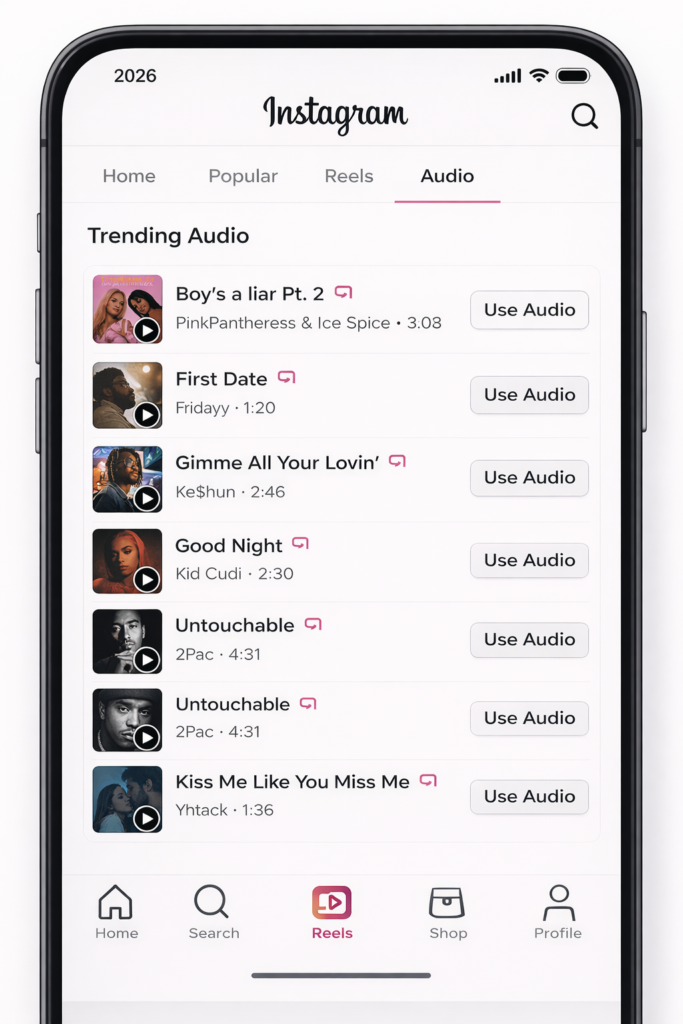
SocialAceHub Tip:
Keep a folder of trending audio and plan your Reels around them each week.
Challenges and Participations
Challenges are still massive in 2026. Participating in trends like dance, fitness, or niche-specific challenges can make your Reels viral.
How to do it right:
- Make the challenge relevant to your audience.
- Add your own creative spin.
- Encourage your followers to participate.
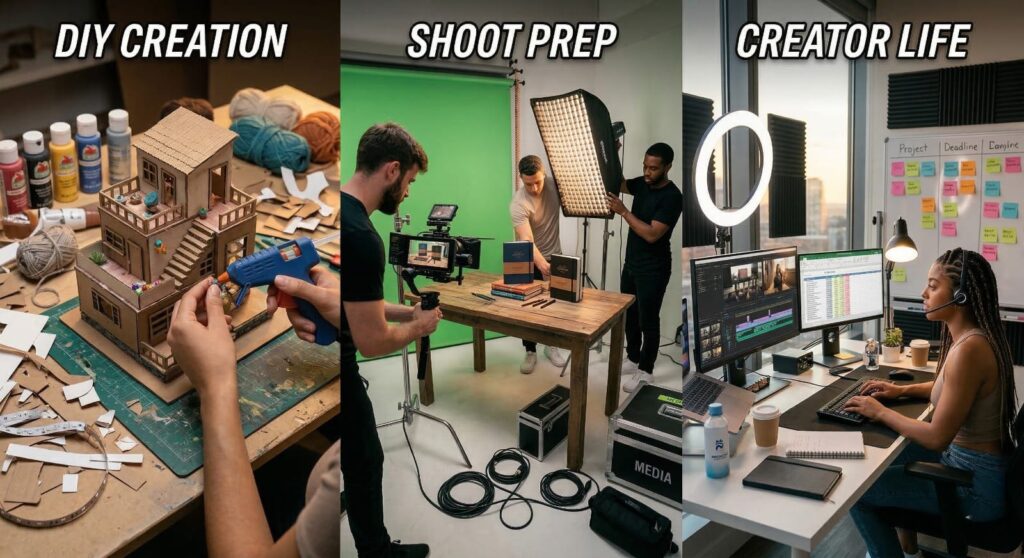
Behind-the-Scenes (BTS) Content
People love seeing how content, products, or services are made. BTS Reels feel personal and authentic.
Examples:
- Making a DIY project
- Preparing for a photo/video shoot
- Day-in-the-life of a creator
Why it works:
Authentic content builds trust and relatability, increasing engagement.
User-Generated Content (UGC)
Featuring your followers or customer content in Reels is highly engaging. Encourage followers to create Reels with your branded hashtag.
SocialAceHub Tip:
Sharing UGC not only increases reach but also builds a community around your brand.
Trend Mashups
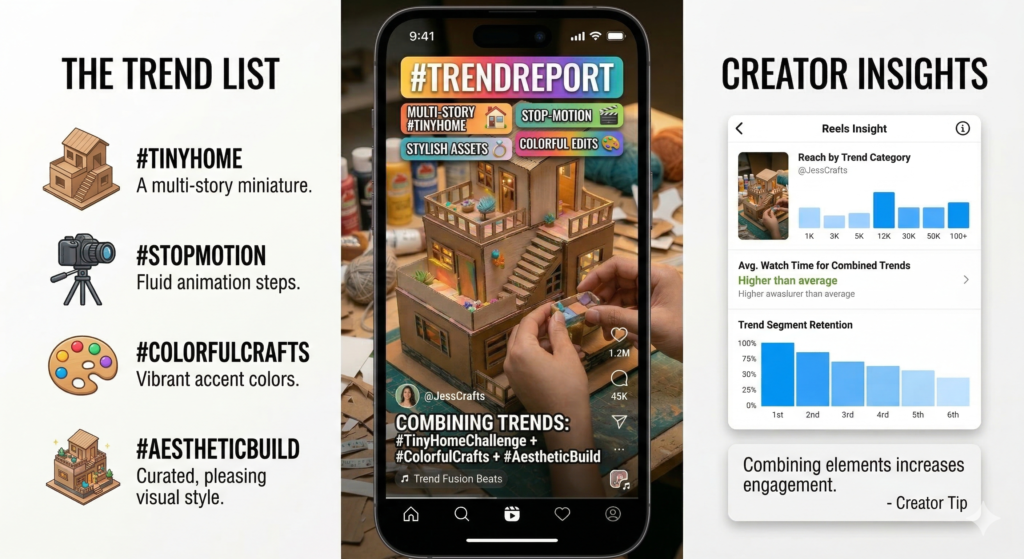
Combining multiple trends in one Reel can make your content unique and shareable. For example, merge trending audio with a mini-tutorial and a storytelling element.
Why it works:
Originality stands out in a sea of content, increasing your chances of going viral.
Tools for Creating Viral Reels in 2026
Creating viral Reels isn’t just about ideas—it’s also about having the right tools to execute them professionally. Here’s a detailed breakdown of the top tools you can use
Cap Cut / InS– Professional Video Editing Made Easy
What it does:
- CapCut and InShot are mobile-friendly video editors that let you create polished Reels quickly.
- Features include transitions, effects, filters, text overlays, and speed control.
- Both apps allow precise trimming and syncing video with audio, which is crucial for viral content.
Why it works for Reels:
- Instagram favors Reels with creative editing, smooth cuts, and trendy effects.
- Using features like animated captions and split-screen effects makes content more engaging.
Pro Tips
- Use trending transitions to match viral audio beats.
- Add captions for accessibility—many users watch Reels without sound.
- Experiment with slow-motion or fast-forward effects to highlight key moments.
Canva – Templates for Professional Visuals
What it does:
- Canva is perfect for designing Reels thumbnails, text overlays, and graphics.
- It provides pre-made templates specifically for Instagram Reels.
- You can create intro/outro animations, social media stickers, and branded visuals.
Why it works for Reels:
- Eye-catching visuals increase the chance of users stopping to watch your Reel.
- Branded visuals make your content recognizable and build trust with your audience.
Pro Tips
- Keep your brand colors consistent across all Reels.
- Use Canva’s animated text and stickers for quick engagement.
- Combine Canva graphics with your video editor (like CapCut) for a polished final product
Trend Discovery Tools – Stay Ahead of Viral Content
What it does:
- Tools like TikTok Explore, Instagram Reels Explore, TrendTok, and Google Trends help identify upcoming trends.
- You can discover trending audio, hashtags, challenges, and content formats before they go mainstream.
Why it works for Reels:
- Early adoption of a trend increases your chances of going viral before saturation.
- Helps tailor your content to what audiences are actively searching for.
Pro Tips:
- Follow influencers and niche leaders to see trends in action.
- Keep a weekly list of trending audio and challenges to plan your Reels.
- Combine trends with your own unique twist to stand out.
Bonus Tools for Creators
- CapCut Templates: Ready-made templates designed for trending Reels.
- Unfold / StoryArt: For professional-looking story-style Reels.
- Instagram Insights: Built-in tool for tracking engagement and follower growth.
- Lumen5 / Pictory: Turn blog posts or guides into short Reels automatically.
SocialAceHub Tip:
Use these tools in combination—plan your Reel idea, create visuals in Canva, edit in CapCut, schedule in Creator Studio, and track trends with TikTok/Instagram Explore—for maximum efficiency and reach.
Measuring Success and Iterating
To ensure your Reels strategy works, you need to track, analyze, and iterate.
Metrics to monitor:
- Views and watch time: Shows if your Reel keeps people engaged.
- Likes, comments, and shares: Indicates how well your content resonates.
- Follower growth: Determines if Reels are converting viewers into loyal followers.
How to iterate effectively:
- Replicate content that performed well.
- Test variations of audio, captions, and hashtags.
- Drop underperforming trends and focus on content that drives highest retention.
SocialAceHub Tip:
Always review your top 3 performing Reels weekly and plan your next Reels around similar patterns or trends.
Final Thoughts
Instagram Reels in 2026 are more than just a trend—they are a strategic tool for organic growth, engagement, and virality. By combining micro-tutorials, trending audio, challenges, storytelling, UGC, trend mashups, and the right tools, you can create content that resonates and reaches more people.
At SocialAceHub
We guide creators, businesses, and marketers to master Instagram Reels, offering actionable tips, tutorials, and insights for organic growth and online success.
Start using these strategies today, track your performance, and adjust your content to stay ahead of trends. With consistency, creativity, and data-driven decisions, your Reels can go viral and grow your Instagram presence like never before.